AAI (Agent App Interface)
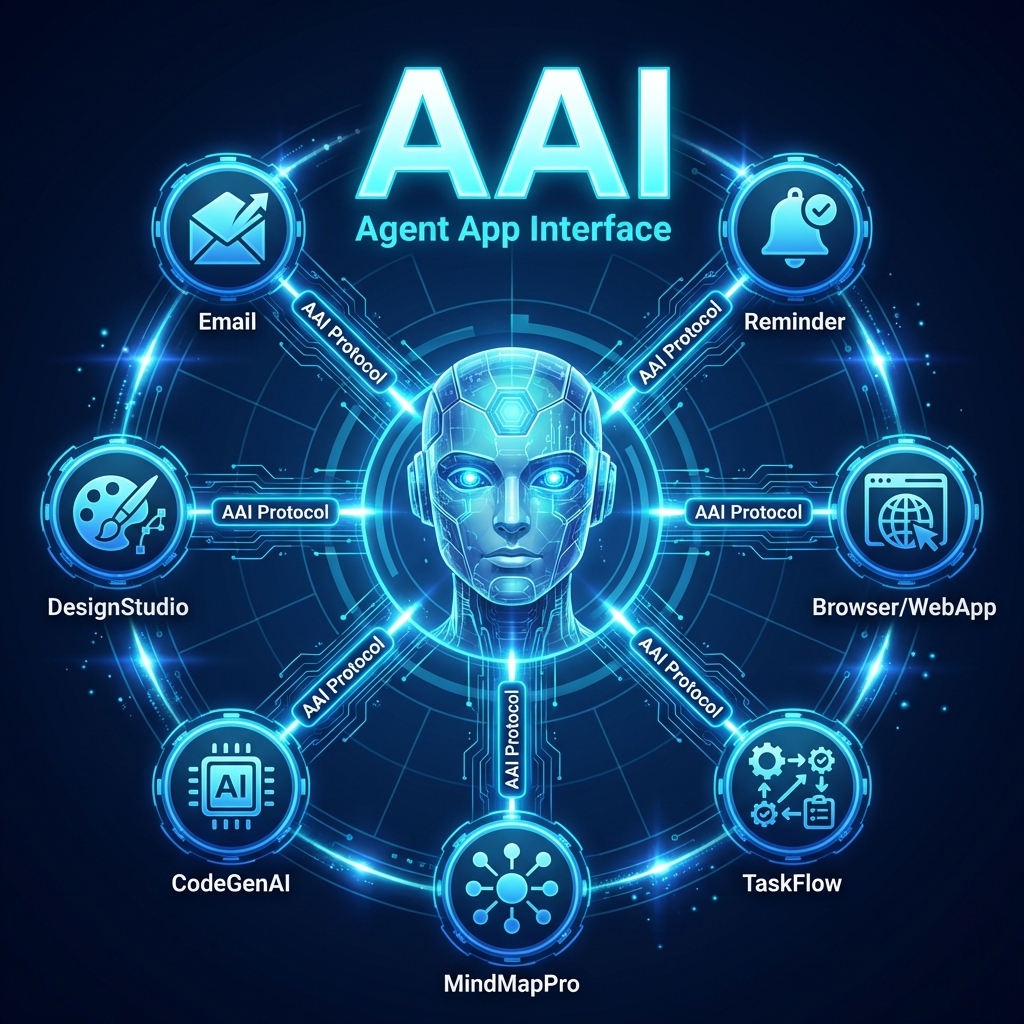
An open protocol that makes any application accessible to AI Agents.
Background: The Agent-Software Paradox
Early 2026 revealed a paradox: AI-driven market panic ($285B wiped in a day) vs. NVIDIA CEO Jensen Huang's rebuttal—"AI will use tools, not replace them."
The truth lies in between: AI needs software tools, but only those it can access. Applications invisible to Agents face obsolescence—not because AI replaces software, but because Agents will choose accessible alternatives over undiscoverable ones.
The Future of Applications
Tomorrow's applications will serve two audiences:
| Interface | Audience | Purpose |
|---|---|---|
| GUI | Humans | Visual interaction, discovery, enjoyment |
| AAI | Agents | Programmatic access, automation, orchestration |
Both interfaces access the same core logic. The GUI remains for humans who prefer visual interaction or need to explore. AAI enables Agents to operate apps on behalf of users—reliably, quickly, and at scale.
This is not about replacing apps. It's about making every app accessible to the AI assistants that users increasingly rely on.
The Problem
AI Agents (Claude, GPT, OpenClaw, etc.) can already operate well-known applications like Apple Mail or Microsoft Outlook -- because LLMs have seen their AppleScript/COM interfaces in training data.
But what about your app?
- Desktop apps: Even if your app supports AppleScript, COM, or DBus, LLMs have never seen your documentation. They don't know your command names, your parameters, or your data model. Your app is invisible to Agents.
- Web Apps: Your service has a REST API, but Agents don't know your endpoints, auth flow, or request format. Without a standardized descriptor, your API is just another undiscovered URL.
- Apps with no automation at all: Completely unreachable.
The Solution
AAI gives every application -- desktop or Web App -- a standardized, machine-readable descriptor (aai.json) that tells Agents exactly what your app can do and how to call it.
Without AAI:
  Agent knows Apple Mail        ✅  (in LLM training data)
  Agent knows Microsoft Word    ✅  (in LLM training data)
  Agent knows your desktop app  ❌  (never seen it before)
  Agent knows your Web App API   ❌  (never seen it before)

With AAI:
  Agent discovers your app via aai.json  ✅
  Agent reads tool definitions           ✅
  Agent calls it directly (native binding, stdio, or API) ✅
One aai.json file turns your app from invisible to fully Agent-accessible.
Who Benefits
App Developers -- Make Your App Agent-Ready
| Your App's Situation | Without AAI | With AAI |
|---|---|---|
| Well-known desktop app (Mail, Outlook) | Agents already know it | Agents discover it formally |
| Web App with REST API (Notion, your Web App) | Agent doesn't know your endpoints | Agent discovers API tools via aai.json |
| No automation / no API at all | Completely unreachable | Add interface + aai.json, Agent-ready |
The key insight: Having an API or automation support is not enough. Without a standardized descriptor, Agents have no way to discover your app's capabilities. AAI is the bridge between "having an interface" and "being Agent-accessible."
Agent Developers -- Zero Integration Work
Connect to any AAI-enabled app through standard MCP. No per-app custom code, no scraping documentation, no hardcoding commands. Works for both desktop apps and Web Apps.
Users -- Agent-Driven Productivity
With AAI, users delegate daily work to AI Agents instead of operating applications manually. Compared to traditional UI automation:
- Higher reliability: Structured IPC/API calls are deterministic, unlike screenshot-based automation
- Faster execution: Direct communication bypasses visual recognition and mouse simulation overhead
- Seamless integration: Agents orchestrate multiple apps naturally, creating end-to-end workflows
How It Works
- App provides
aai.jsondescribing its tools:- Desktop apps → bundled inside the app at
YourApp.app/Contents/Resources/aai.json - Web Apps → hosted at
https://yourdomain.com/.well-known/aai.json
- Desktop apps → bundled inside the app at
- Agent connects to AAI Gateway via standard MCP (stdio)
- Gateway scans
/Applications/on startup and builds a list of AAI-compatible desktop apps - Agent discovers available apps and tools on demand; web app descriptors are fetched automatically when needed
- Gateway executes the call:
- Desktop apps → JSON over native bindings (Apple Events / DBus / COM), OS-managed authorization
- Local adapters → JSON over stdio
- Web Apps → JSON over HTTPS, Gateway-managed OAuth 2.1 authorization
Both humans (via GUI) and Agents (via AAI) access the same core application logic. Neither interferes with the other.
Contact
License
Apache 2.0